Hand-Painted Charm: Using Wedding Floral Wreaths Clipart in Design
There’s something about the combination of watercolor and florals that immediately evokes a sense of romance and whimsy. Whether you are designing for a boutique bridal shop or creating assets for a lifestyle blog, the texture of paint on paper adds a level of tactile reality that flat digital graphics often struggle to achieve. If you’ve been searching for a way to inject that organic, artistic feel into your work without picking up a paintbrush yourself, high-quality digital assets are your best friend. Specifically, hand-painted elements allow you to bridge the gap between traditional art and modern design needs, saving you hours of work while maintaining that authentic, hand-crafted look.
The Aesthetic Appeal of Hand-Painted Florals
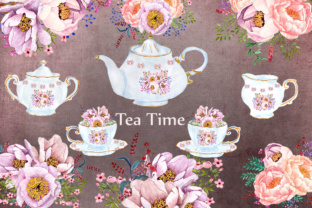
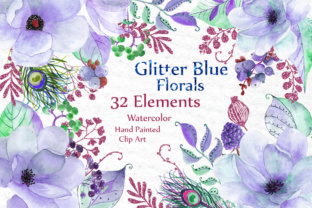
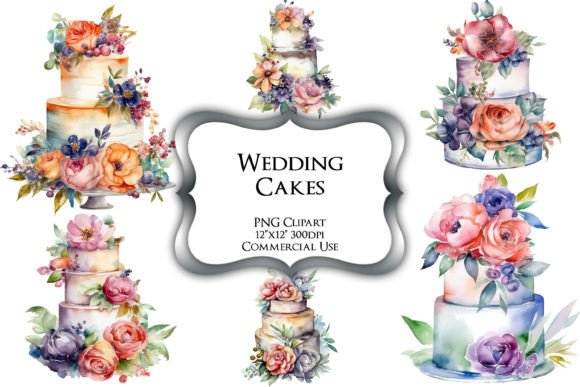
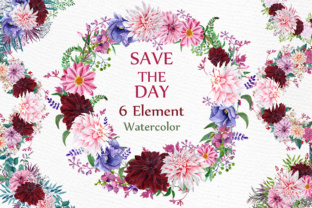
The specific set we are looking at—featuring Wedding Floral Wreaths Clipart—is not just a collection of random shapes. It is a curated assembly of six distinct elements, saved as high-resolution PNGs. At 300 DPI and approximately 12 inches in size, these files are robust enough for professional printing. The resolution ensures that whether you are scaling them down for a website favicon or blowing them up for a poster, the integrity of the watercolor texture remains crisp. You won't see those jagged pixel edges that plague lower-quality assets.
What makes watercolor particularly effective in design is its imperfection. The way the pigment bleeds into the paper, the varying saturation of the color, and the soft edges of the peony flowers create a visual depth that standard vector graphics cannot replicate. These aren't just flat circles with flowers inside; they are dynamic compositions that bring energy to a layout. For the designer or business owner, this means you are starting with a base that already has "soul." You don't need to add complex filters or textures to make them look real—they already are.
Practical Applications for Branding and Marketing
When you are building a brand identity, visual consistency is key. However, consistency doesn't mean boring. It means finding a visual language that speaks to your audience repeatedly across different touchpoints. This is where versatile assets like these wreaths shine. They serve as a unifying thread across your various platforms.
Consider the needs of a small business owner or a content creator. You are likely juggling multiple formats: a website header, Instagram stories, printable flyers, and maybe even product packaging. Here is how you can practically apply these elements:
- Social Media Graphics: Use a full wreath as a background for text-based quotes or announcements. The soft watercolor peonies provide enough visual interest to stop the scroll but leave enough "white space" (or negative space) inside the wreath for legible typography.
- Packaging and Labels: If you sell physical goods—perhaps candles, soils, or stationery—these wreaths can frame your logo beautifully. The high DPI ensures the print on your labels will look professional and high-end.
- Invitations and Editorial Layouts: For those in the wedding industry, these assets are invaluable. They can frame event details on an invitation or act as decorative borders for a magazine spread. Because they are hand-painted, they add a bespoke feel to the design.
- Websites and Blogs: Break up long blocks of text by placing a small floral element between paragraphs or use a wreath to highlight a featured blog post. It softens the digital experience and makes the content feel more approachable.
Pairing Typography with Organic Elements
A common challenge when working with detailed clipart is choosing the right typeface to go with it. You want a premium font that complements the art rather than competing with it. Since the Wedding Floral Wreaths Clipart features organic shapes and soft edges, your typography choice can go in a few directions depending on the project's goal.
If you are aiming for a romantic, high-end aesthetic, a classic serif font or a flowing script font works well. The elegance of the serif counters the organic nature of the watercolor, creating a balanced composition. However, be careful with legibility. If you are using a decorative script for a logo, ensure it is still readable at small sizes.
Alternatively, for a more modern, minimalist look, pair the wreaths with a clean sans serif font. The contrast between the detailed, painterly wreath and the stark, geometric lines of a sans serif can create a striking visual tension. This approach is excellent for modern typography applications where you want to look fresh and current without losing the warmth of the floral elements.
Don't forget to test your font pairing. Place your chosen typeface inside the center of the wreath. Is there enough contrast? Does the text color clash with the watercolor pigment? Often, a dark charcoal or a deep forest green works better than a stark black when dealing with watercolors, as it feels less harsh against the soft paper texture of the clipart.
Streamlining Your Design Workflow
For the entrepreneur or freelancer, time is money. One of the biggest advantages of using pre-made, high-quality design assets is the efficiency they bring to your workflow. Instead of commissioning custom illustrations for every single project or spending hours trying to digitize your own paintings, you have a library of ready-to-use elements.
Because these files are PNGs with transparent backgrounds, they are drag-and-drop ready. You don't need to be a wizard with the pen tool in Adobe Illustrator to remove a background. This accessibility makes them perfect for digital products and marketing assets. You can quickly mock up a presentation for a client or create a set of social media graphics for the week in a fraction of the time it would take to build from scratch.
Furthermore, using consistent assets helps in building brand recognition. When your audience sees that specific style of watercolor peony repeatedly associated with your content, they begin to associate that aesthetic with your brand. It becomes a visual signature. This is a subtle but powerful form of marketing that helps you stand out in a crowded digital landscape.
Considerations for Commercial Use
As you integrate these assets into your work, it is vital to understand the scope of your license. Most high-quality design assets come with specific terms regarding commercial use. Typically, a standard license allows you to use the graphics in unlimited personal projects and a set number of commercial projects (like selling printed invitations or merchandise).
However, if you plan to sell the clipart as part of a digital template—such as a Canva template or a website theme—you often need an extended license. Always review the documentation included with your download. This ensures you are protecting your business legally and respecting the intellectual property of the artist who hand-painted these beautiful elements.
Ultimately, incorporating Wedding Floral Wreaths Clipart into your toolkit is about more than just adding pretty pictures. It is about elevating the perceived value of your projects. Whether you are a hobbyist scrapbooking a memory or a professional designer crafting a brand identity, these hand-painted watercolor elements provide a versatile, high-quality foundation for creative expression. They bridge the gap between the raw beauty of traditional art and the precision required for digital design, helping you deliver professional results every time.